From Shopify app store, search “Google Reviews App by Ryviu“.
Click Install button.
Click Install button again in the install pop-up from your shopify admin.
From your store admin > navigate to Apps, open Google Reviews App by Ryviu.
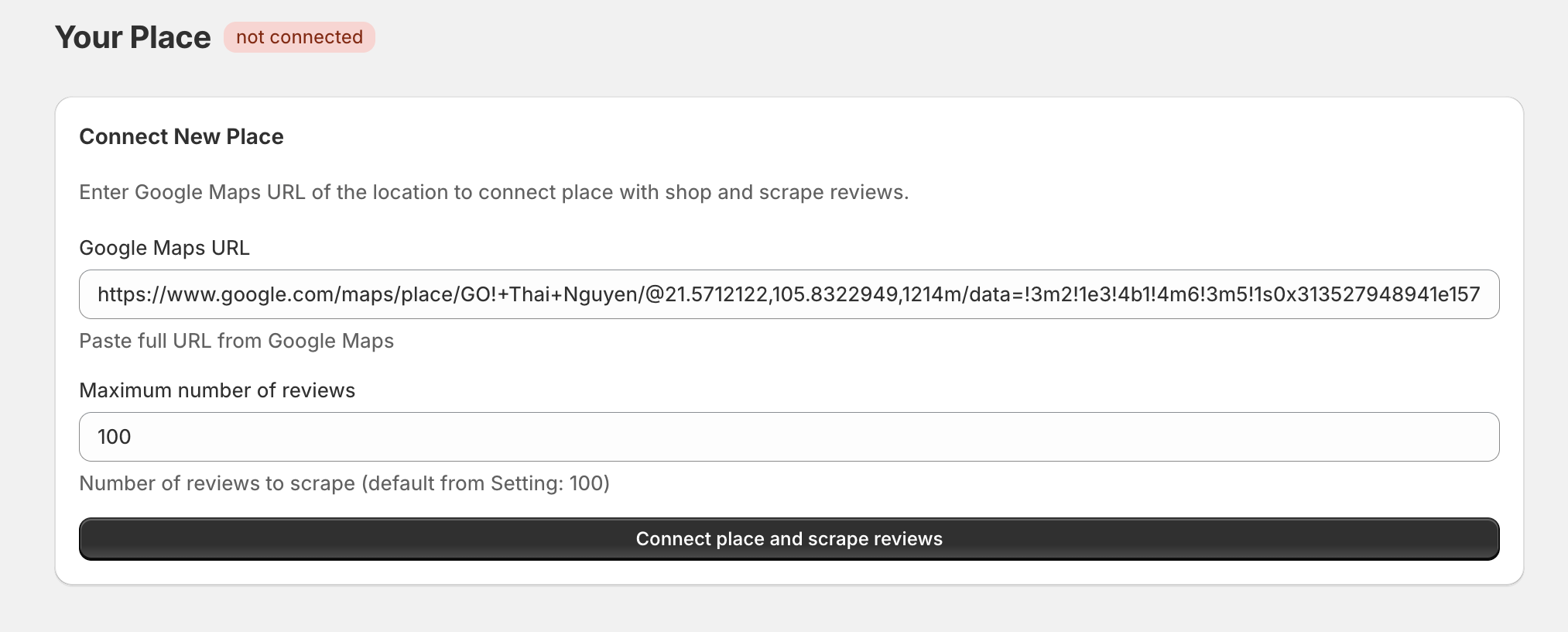
Copy Google Maps URL of the location, paste it under Google Maps URL.
Select the Maximum number of reviews to scrape.
Click Connect place and scrape reviews button.
Widget Setting
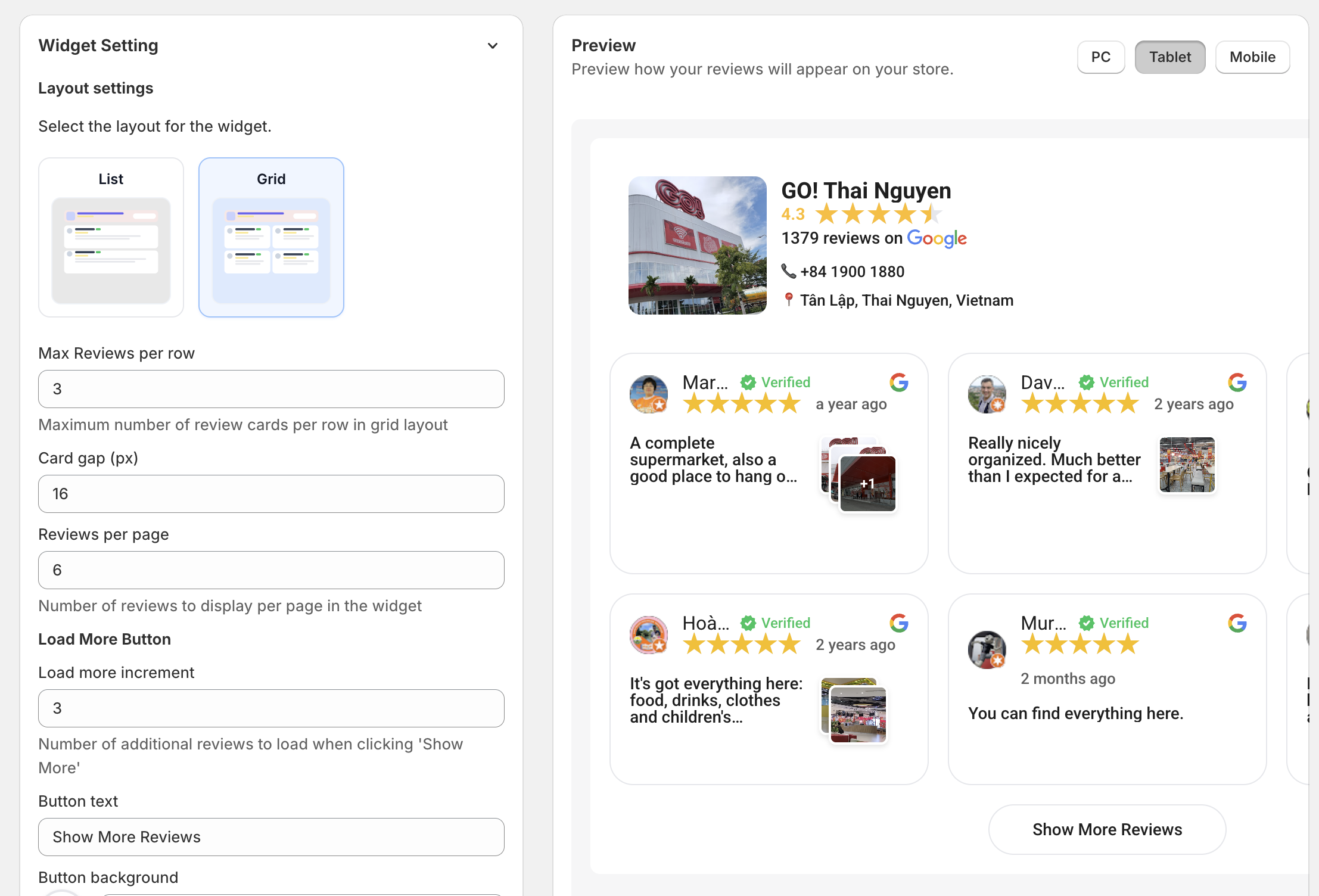
Layout settings: select the widget layout, the maximum reviews per row on PC and Tablet, the gap between review cards, and the number of reviews per page.
Load more button: set load more increment, text of button, button background color, text color, border color, border radius, and padding of button.
Sort order: Set Highest rating first or Lowest rating first.
Theme: Select Light or Dark theme.
Banner: Show/hide banner.
Item settings: configure review card settings.
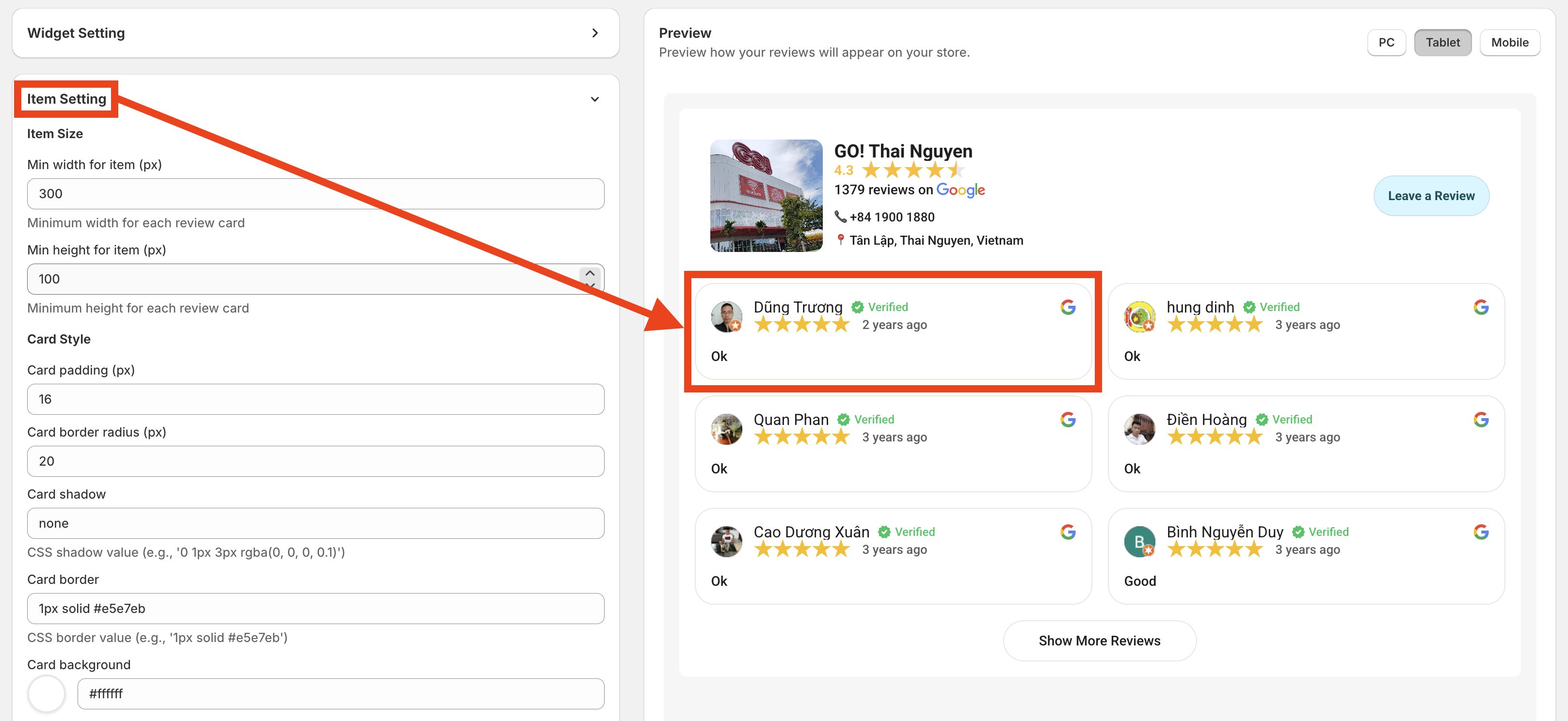
Item size: Set the minimum width and height for each review card.
Card Style: set padding, border radius, card shadow, card border, and background.
Avatar: show/hide avatar, set avatar size.
Reviewer’s name: show/hide reviewer names, set font-size, font weight, and color of reviewer’s name.
Verified Badge: show/hide verified badge, set badge color.
Rating: show/hide rating, set active star color.
Date: show/hide and set the color of the date.
Review Text: show/hide review text, set text color, set text font size, set text line height. Set max text length, limit text line length, and show/hide ‘Show more‘ button.
Review Images: show/hide review images, set image grid columns.
Powered by Google: show/hide Powered by Google.
Google Place Display Setting
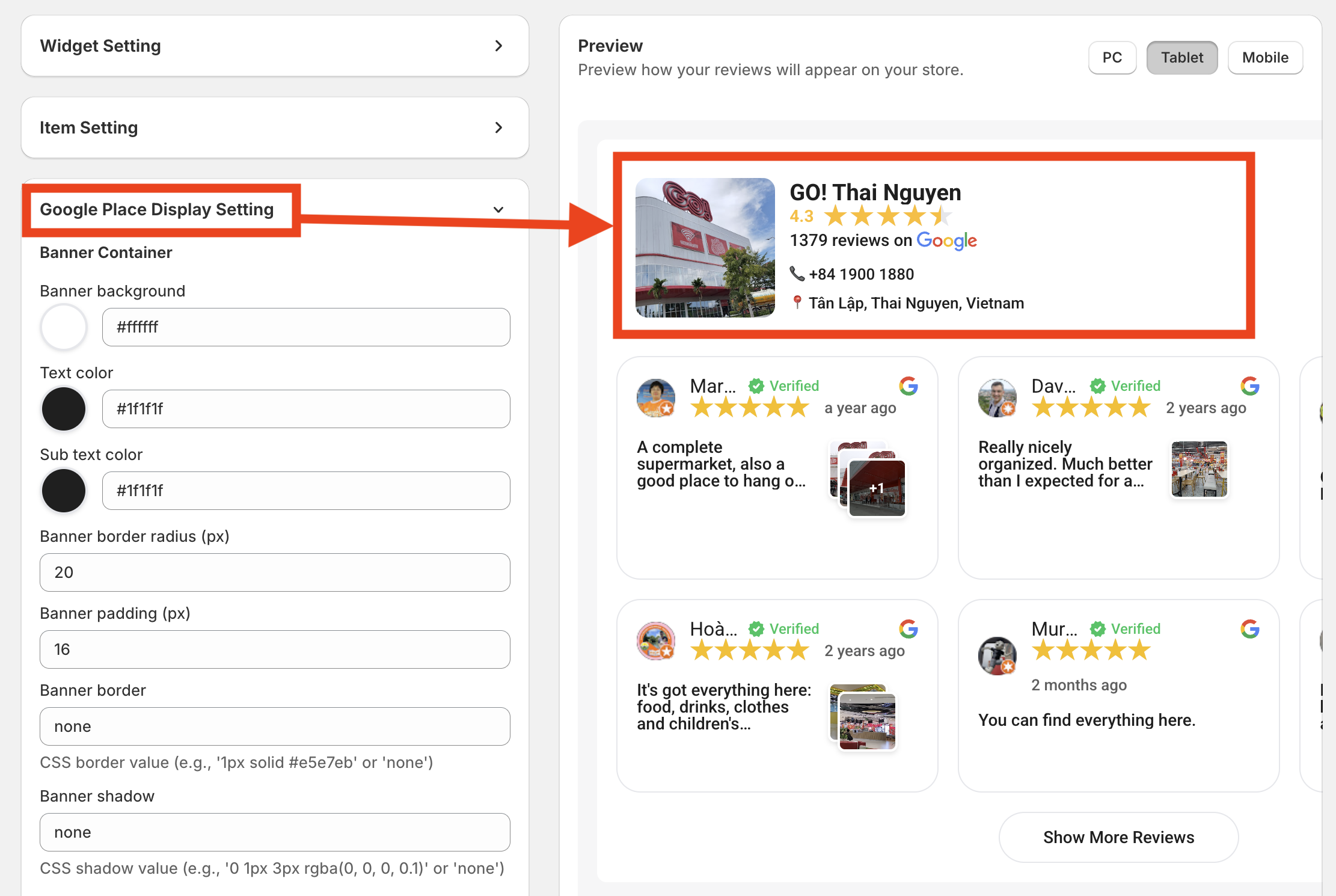
Banner Container: set banner background, text, and subtext color. Set the banner's border radius, padding, border, and shadow.
Google’s Place image: show/hide Google Places and image size.
Google’s Place Name: show/hise Place name and set font size, color of Place name.
Rating & Reviews: show/hide rating, total reviews, set star color.
Google Brand: show/hide Google Brand.
Contact Information: show/hide the Place's phone number, website, and address.
Leave Review Button: show/hide Leave review button, set button text, background, and text color of button, and button border radius.
Make sure you click Save button after changing.
Navigate to Sales channels > open Online Store.
Click Edit theme button in the current theme.
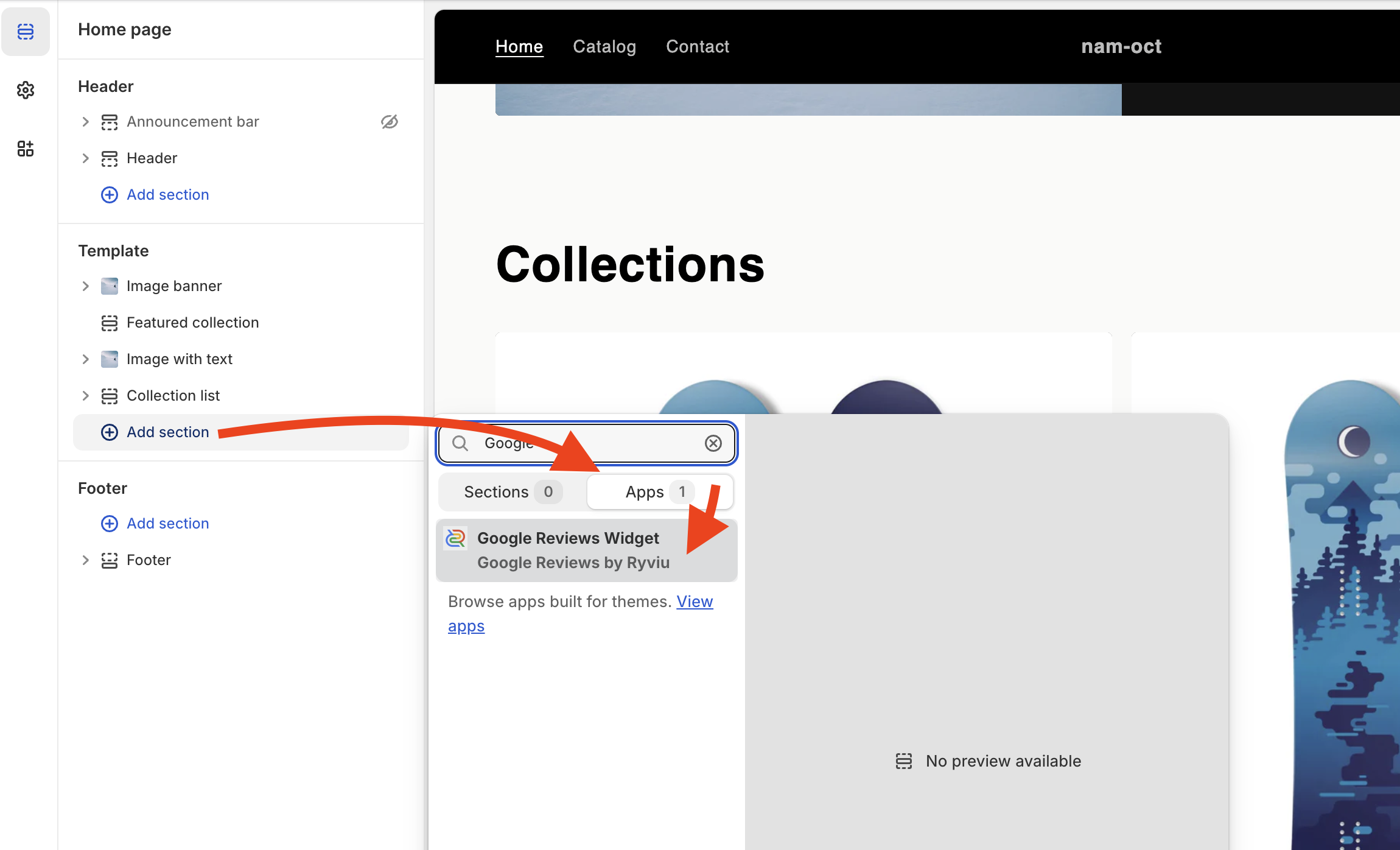
Click the Homepage dropdown button at the top, then select the template you want to add the widget.
Click +Add section on the left, open Apps, select Google Reviews Widget by Ryviu
Drag and drop into the section you want.
Click Save button.
Need assistance?
Contact our support team via live chat or email us at [email protected]. We’re always ready to help!
